3G Signal Boosters For Mobile Phones

Mobile Phone Signal Boosters
With Cel-Fi From Nextivity

Play Cel-fi Advert
  • Never miss a call again
  • Faster mobile downloads
  • Increase your battery life
  • Easy plug 'n' play installation
  • No broadband connection required

Which networks support Cel-fi?


Cel-fi works on the Orange, T-Mobile and o2 Networks

Nothing is more annoying than being on an important call when your signal starts to flag!

Voices start to crack up and eventually the inevitable happens - your signal goes completely and the call ends at the worst time.

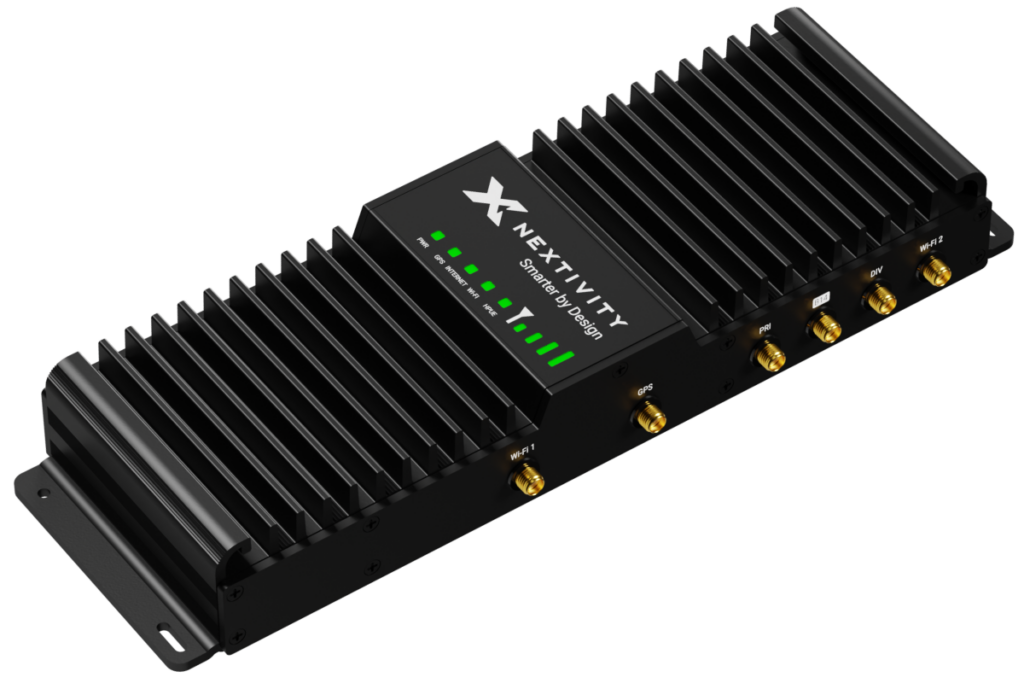
Cel-Fi RS2 from Nextivity are simple mobile phone signal boosters that can take 1 bar of 3G signal and make it 5. No technical knowhow required, no complex manuals to be read, it's as simple as plug-in and play.

Finally there is a solution to poor signal strength at home and the office. No more will you have to go out into the cold to make a call or congregate with your colleagues at the one window that gives you a paltry one bar of signal. Stay on the sofa or at your desk at work and make that call with peace of mind.

What you can expect...


Never miss a call again


Better Mobile Reception

The Nextivity boxes will look to boost our mobile phone signal as much as possible so you can spend more time on the phone and less time searching for a signal.

Increased battery life


Increase Battery Life

The Cel-fi RS2 boosters will work hard to improve your mobile signal so your device doesn't have to. This means less work for your phone and resulting in longer battery life, less charging and less expense.

Warranty Cel-Fi RS2 Units From Nextivity

Faster mobile downloads


Faster 3G Mobile Downloads

With increased 3G connectivity you can ensure faster data transfer rates when downloading video, photos, email and data to your mobile phone.

Easy plug 'n' play installation


Easy To Install

It is very simple to install the cel-fi signal boosters. Each of the two units require only a small space. One unit sits on your window sill to pick up the signal, and the other somewhere inside to boost it throughout the building.

No broadband required


No Broadband Required

Some other mobile phone signal boosters require a broadband connection to work, but not the Cel-fi RS2 units from Nextivity. All you need is a small space to store the two boxes and a standard mains plug for each. It's that easy...

How it works...


Residential & Commerical 3G Increasing Signal Solution

The fully wireless, 'plug and play' system works simply by placing your Window Unit in the area of the building with the strongest signal. It will take this signal, as little as 1 bar, and amplify it to up to 5 bars.

By placing the Coverage Unit at the opposite side of the building this new, amplified signal will be distributed throughout.

FAQ

How to setup the Cel-fi unit...


  • 1. Place the Window Unit at your window
  • 2. Place the Coverage Unit inside the building
  • 3. Plug in both units to a wall socket
  • 4. Within 1 minute your signal will be boosted

The technical stuff...


Performance - The Cel-fi boosters will increase the 3G signal in an indoor area up to 1235 m2 (13,000 ft2). Nextivity's IntelliBoost Baseband Processor II gives the units unrivalled power and performance.

Power - Each of the two Cel-fi units run off 12 VDC power supply via the 2 plugs provided, and the power consumption is less than 12w per unit.

Operating - The optimum operating temperature of the units are between 0° to 40°C, and the optimum operating altitude is between -60m and 3,050m.


How the Cel-fi signal booster works

Dimensions

  • Window Unit
  • 207mm (8.14")H
  • 144mm (5.66")W
  • 144mm (5.66")D
  • Weight: 0.9kg (0.2lbs)
  • Coverage Unit
  • 151mm (5.94")H
  • 149mm (5.86")W
  • 49mm (1.92")D
  • Weight: 0.34kg (0.75lbs)

Who rates us?


The product delivers exactly what is promises and is simple and rapid to deploy

- T-Mobile U.K
What a machine! Instant 3G coverage right across the board in 18 different rooms – 5 bars in 5 minutes as George Lamb used to say!

- Premier Telecom, UK
It took less than 2 minutes to install and I had the full 5 bars on my phone. No drilling, no cabling and full HSPDA performance onto my phone.

- Leigh Geary, coolsmartphone.com

Read more reviews »

What we're talking about online...